WordPress
Flexible themes and plugins for business websites, blogs, memberships, and stores.
Explore WordPressSix practical paths from simple builders to custom code
Every website needs a domain, hosting, useful content, and a clear way to publish updates. The best building tool depends on what you are creating, how quickly you want to launch, and how much control you need. Start with the simplest option that fits your goal.
Flexible themes and plugins for business websites, blogs, memberships, and stores.
Explore WordPressA visual cPanel website builder for responsive designs with more layout control.
Explore SiteJetCreate a simple starting website from prompts, then edit the design and content visually.
Explore AI BuildingManage products, payments, customers, orders, and store pages from one platform.
Explore EcommerceInstall specialized software for communities, education, memberships, media, and more.
Explore Web AppsBuild files directly for maximum control over design, behavior, and server deployment.
Explore Custom Code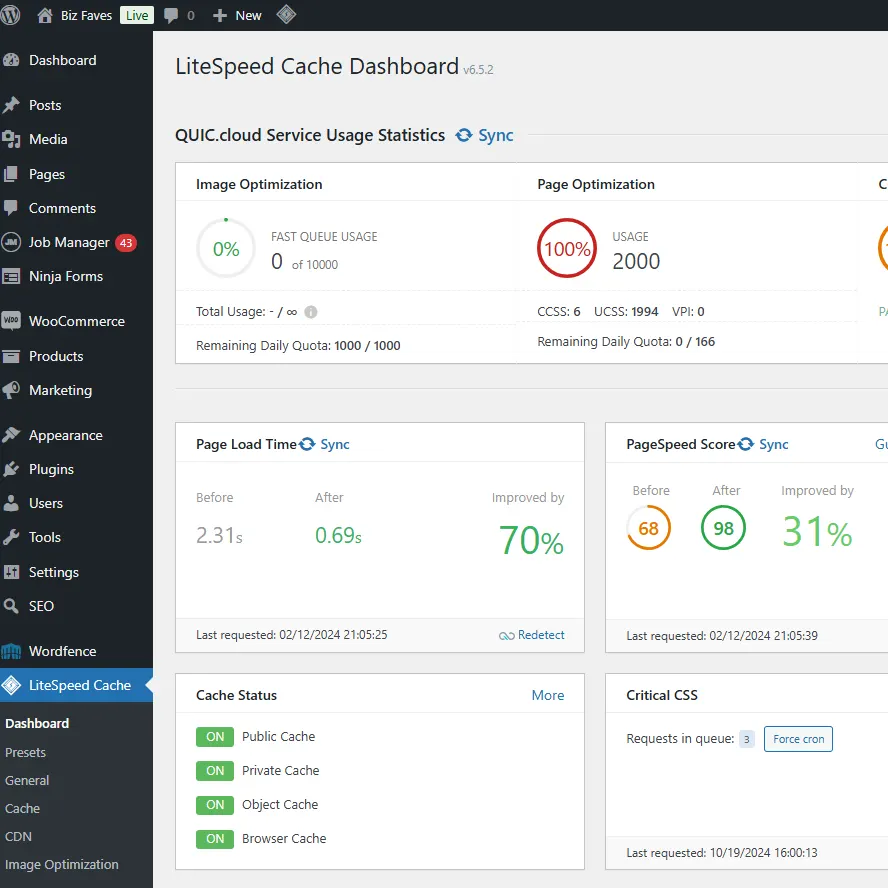
WordPress is one of the most flexible choices for building a website, especially if you need themes, plugins, blogging, ecommerce, memberships, or room for custom features. Start by choosing a hosting plan and connecting your domain, then install WordPress through your hosting control panel. Select a theme, create your main pages, and add only the plugins you actually need. Once your site is live, keep WordPress updated, secure, and regularly backed up for reliable long-term performance.
Because WordPress can grow from a simple brochure site into a store, publication, course, or membership platform, it is a strong long-term choice when flexibility and ownership are more important than the simplest possible setup.
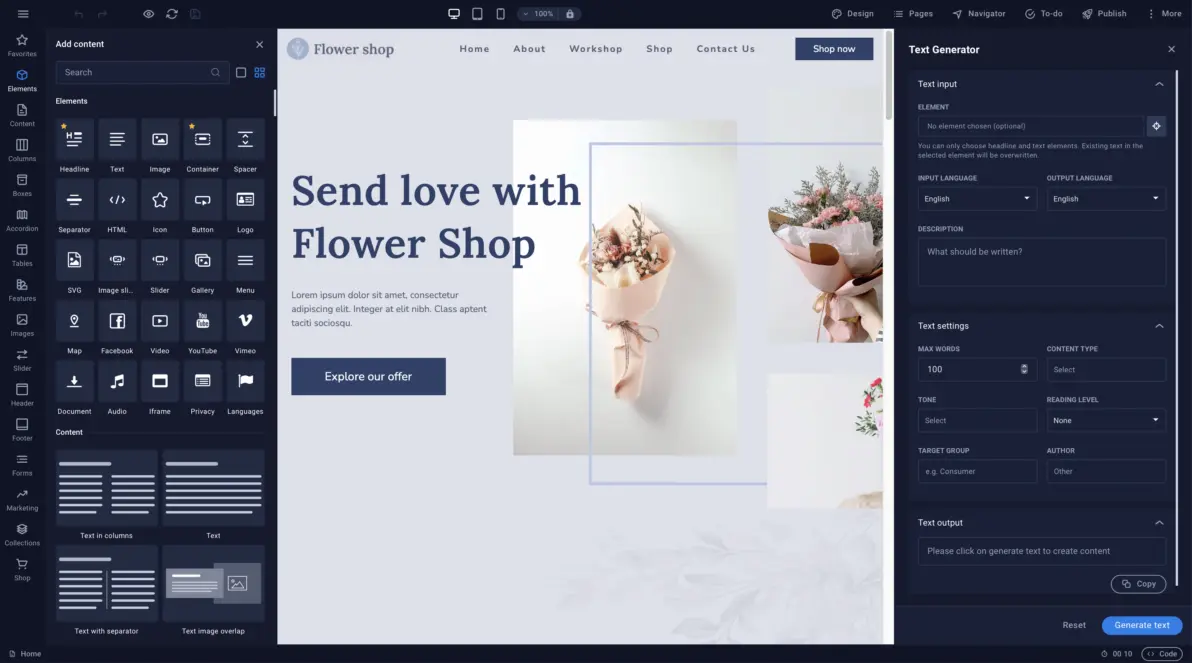
SiteJet is a visual website builder included with cPanel hosting, making it a good choice for users who want modern templates and design control without editing code. Start by activating a cPanel hosting plan and connecting your live domain. Open SiteJet from the cPanel dashboard, then choose a template or build a custom layout. Add your text and images, review the mobile version carefully, make any final adjustments, and publish the finished website.
Its visual workflow makes page design approachable while still providing responsive controls for desktop, tablet, and mobile layouts. Since SiteJet is available from the hosting account, the finished site remains connected to your own domain, email, and cPanel tools.

An AI builder can create a fast first draft from a few business details. It is useful for local businesses, services, events, portfolios, and personal websites that need to launch quickly without beginning from an empty page.
Describe the business and preferred style, then let the builder suggest a layout, colors, images, and starter copy. You can reorganize sections, change the design, connect a domain, and add the details visitors need before publishing.
Review every generated claim, replace generic images, add accurate contact information, and edit the language so the finished website sounds credible and specific to your organization.

Shopping cart software manages products, inventory, customers, orders, payments, shipping, taxes, and storefront pages. It provides the specialized workflow needed to turn a standard website into an operational online store.
WordPress can add ecommerce through WooCommerce, while cPanel hosting can run OpenCart, PrestaShop, and other maintained applications. Open-source carts provide more ownership and customization, but they also require updates, backups, security, and performance care.
Choose based on catalog size, payment requirements, shipping rules, integrations, technical experience, and how much control you want over the storefront and business data.

Specialized applications can power communities, education sites, membership systems, media libraries, customer portals, project tools, and other focused website types that a general-purpose builder may not handle well.
A hosting application installer can simplify initial setup and provide access to established open-source projects. Before choosing one, compare its current release activity, documentation, extension ecosystem, mobile experience, import options, and server requirements.
Use actively maintained software, install security updates promptly, keep reliable backups, and confirm that the application supports your hosting environment before investing heavily in customization.
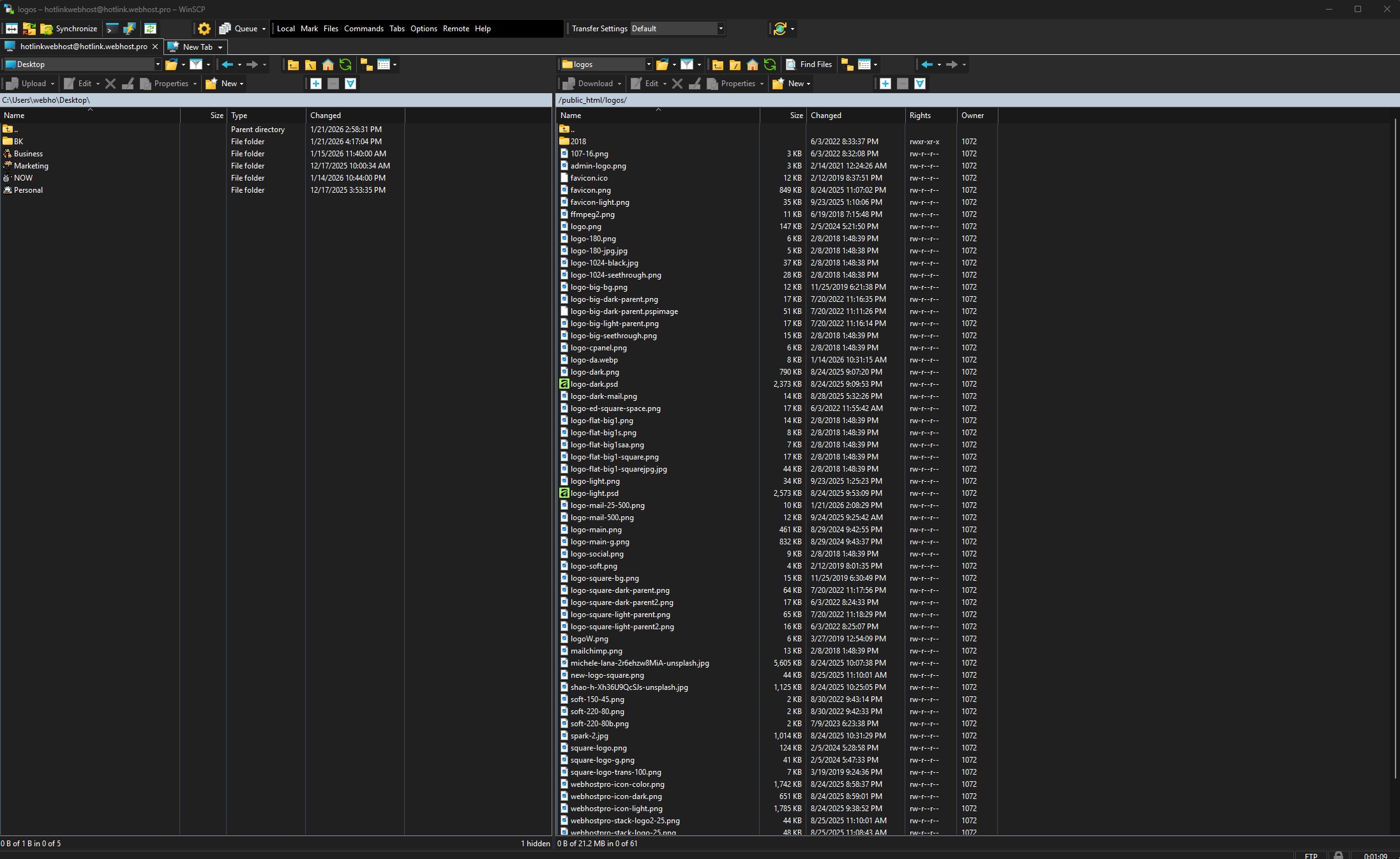
Direct coding gives developers full control over files, semantic structure, accessibility, performance, integrations, and custom behavior. Work locally with a code editor, version the project with Git, and deploy through Git, SFTP, or the hosting file manager.
This approach can produce a lean website without the overhead of a large builder or content management system. It also makes it possible to use custom frameworks, APIs, databases, build tools, and application logic when the project has specialized requirements.
Custom development requires more technical knowledge and ongoing responsibility. Plan for testing, security updates, documentation, backups, monitoring, and a workflow another developer can understand later.
Building a website is simpler than most people think once you understand the basics. First, you need a domain name and reliable web hosting to get your site online. From there, choose a setup that fits your needs. Most new builders prefer an easy drag and drop website builder like SitePad AI, while others choose cPanel hosting for more flexibility and easy access to the SiteJet Builder and WordPress tools. The process is straightforward: log into your hosting account, launch your builder or install WordPress, pick a design, add your content, and publish your site. The key is to start simple, launch quickly, and improve your website over time as your needs grow.
WordPress is the most popular website platform in the world, powering millions of websites. It offers thousands of themes and plugins that make it easy to create everything from simple business websites to advanced online stores and custom web applications.
AI online website builders are one of the fastest ways to launch high quality websites. SiteJet offers pre made templates or the ability to design from scratch. It works well for both beginners and designers and supports ecommerce and blogging with one click. It's owned by cPanel, so millions of cPanel users have adopted it.
AI website builders can create a professional website in minutes using simple prompts and guided tools. They are one of the easiest ways to get online, making them ideal for small businesses, personal websites, and anyone who wants fast results without coding or design experience.
Shopping cart platforms manage products, customers, and site layout in one system. We offer Magento and other popular carts through one click installers. A payment processor such as PayPal or Authorize.Net is required. For simpler ecommerce needs, our website builder includes built in ecommerce tools.
Scripts and apps are specialized tools designed for specific website types. While WordPress and shopping carts are technically apps, there are hundreds of others for social networks, video chat, membership sites, consulting, education, and professional services. Always ensure apps are actively maintained and updated for security.
Building a website with a code program like WinSCP gives you full control over your files, structure, and custom code. You create or edit your website files locally, then securely upload them to your server using FTP or SFTP. This approach is best for developers or advanced users who want maximum flexibility and direct access to their hosting environment.
WordPress is the most popular website platform in the world, powering millions of websites. It offers thousands of themes and plugins that make it easy to create everything from simple business websites to advanced online stores and custom web applications.
How it works:
WordPress offers thousands of themes and plugins, making it one of the most flexible website platforms available.
Once you activate a Website Builder plan, a new SiteJet section will appear in your account manager.
A live registered domain is required for the website to be publicly accessible.
SiteJet is ideal for designers, agencies, and users who want more layout control with modern tools.
AI website builders make it possible to create a professional website in minutes without coding or technical experience. Simply answer a few questions or enter a prompt, and the builder can generate pages, layouts, images, and content that you can customize to match your business or personal brand.
Most AI website builders run entirely in your web browser, so there is no software to install and no FTP knowledge required. Changes can be made visually with drag-and-drop tools, allowing you to quickly launch and manage your website from anywhere.

Shopify is the most popular ecommerce software available but comes with a hefty price tag. Shopping carts like OpenCart, Magento, PrestaShop, and CubeCart can be installed instantly for fre using Softaculous in your hosting account with Web Host Pro. WordPress also has free ecommerce with their WooCommerce plugin.
A payment processor such as PayPal is required. For simpler stores, the Website Builder includes built-in ecommerce tools. You use the software you choose for the initial design and edit as you go.
All plans include Softaculous, allowing one-click installation of hundreds of open-source applications.
Always ensure apps are actively maintained and updated to avoid security issues.
Building a website with a code program like WinSCP gives you full control over your files, structure, and custom code. You create or edit your website files locally, then securely upload them to your server using FTP or SFTP. This approach is best for developers or advanced users who want maximum flexibility and direct access to their hosting environment.
Most FTP have built in editors for this, otherwise programs like Visiual Studio work well connected to a secondary FTP program.
Since 2001, Web Host Pro has helped website owners build, secure, and grow online with honest pricing, real support, and hosting tools that do not box them in.
Over two decades of real hosting experience behind every account, server, and support request.
Choose from cPanel web hosting, VPS, dedicated servers, and flexible tools that give your website room to grow.
Clear hosting prices without hidden fees, forced upsells, or confusing renewal traps.
Your website, email, and data stay private, secure, and protected from unnecessary tracking.
Get help from people close to the actual hosting environment, not a disconnected script-based support layer.
Start simple and scale into more power, control, and resources when your website needs it.
For more than 25 years, Web Host Pro has helped website owners, businesses, developers, and agencies keep their websites, email, and servers online with reliable hosting and direct support from experienced hosting professionals.
Explore reliable web hosting, VPS, dedicated servers, domains, and website services backed by fast real human support.
Reviewed by Web Host Pro Editorial Team · Updated
Use these Web Host Pro resources to verify company background, hosting guidance, support access, privacy terms, and service expectations. They help visitors compare hosting options with more context and give search engines clear article, policy, and contact paths from this page.
A practical guide to support, SSL, email, backups, performance, and upgrade paths for business websites.
Read GuideA plain-English comparison of standard web hosting and VPS hosting for growing websites.
Read GuideA guide to hosting price ranges, renewal checks, and what to review before choosing a plan.
Read Guide